
PhonePad 5
12 Months Support and Free Updates
Email support is provided for any
questions or problems you may
have.
All major and minor updates keep
you up-to-date with the latest features.
If needed, we can remote connect to your network
and resolve any issues.
Included with your PhonePad license:
Try PhonePad for Free
Get PhonePad Now
Download PhonePad now and try it for free for 30
days. Yes, that’s a whole 2 months to try it out,
without obligation. Try before you buy.
Purchase PhonePad now and receive your license
details within a few minutes. Start using PhonePad
today.

15 Reasons Why You Need PhonePad
Take Phone Messages Quickly and Easily
Logging incoming and outgoing calls is so easy with PhonePad. It remembers
details of previous callers and automatically fills in the details for you. That means
less mistakes.
Get Rid of the Phone Message Chaos
In today’s demanding business world it can be hard to keep on top of things. Especially
when it comes to taking phone messages and then managing them.
It’s easy to lose them, easy to make mistakes, easy to forget to return calls, and easy
to become totally overwhelmed.
PhonePad’s intuitive design makes it easy to use and master.
As the phone message forms look just like the paper ones, users already know how
to fill them in.
And PhonePad does most of the work for you.
Find Any Phone Message Fast
Extensive filtering and search options enable you to locate any phone message quickly.
With Global Searching you can rapidly search every single message - even archived
ones.
Never Forget to Follow Up Phone Calls
Keep comprehensive follow-up notes about each call. If a message is sent to multiple
users, everyone can add their own notes and see what others have added, keeping
everyone on the same page. Multi-user To Do Lists can turn those follow-ups into
actionable tasks that are visible to the whole team.
Automatically create reminders to keep you on track. Receive alerts when reminders
are overdue.
All of your messages are conveniently located in a central, easy-to-access
location: your Inbox. You always know where to find your messages, so
there's no more losing them.
Icons and colour-coding provide instant recognition of message status.
It’s like an email Inbox, but without all the spam.
If you have users that need to access Inboxes of other users then an
administrator can easily grant that access.
This can be a handy feature for receptionists. A user who is out of the office can
call in and ask for any messages.
If someone is on leave, you can access their messages to make sure calls are
followed up.
Never Miss an Important Call
Receive your messages when you’re out of the office - at home, on the road, or even in
another country.
Set up PhonePad to automatically forward your messages to an email address or even
your mobile/cell phone using SMS* or Pushover. You can configure this feature to only
forward urgent messages, based on your availability, and more
Easily Organize Your Phone Messages
PhonePad provides an easy way to organize your messages. Create private, public
and group folders to store your messages in.
And you can set up PhonePad to automatically move your completed messages to
specific folders.
Complete Caller History - Done Automatically
PhonePad keeps track of every call, message, and follow-up automatically.
Whenever you need it, your clients’ entire communication history is right there at
your fingertips.
PhonePad takes the hassle out of tracking phone messages. Instantly see when
calls are logged, check whether messages have been read, and stay on top of
follow-ups so nothing slips through the cracks.
Every step of your communication—from the first call to the final response—is
visible and organized in one place, giving you total confidence that every message
gets the attention it deserves.
All Your Client Information in One Place
Keep your client information organized, connected, and easy to find. The Address
Book links together phone numbers, contact details, notes, documents, and maps
so you always have the full picture. From quick lookups to in-depth client history, it’s
all just a click away.
Try PhonePad for 30 days free of charge. Download it from our website and try it out.
No money up front. No commitment. No obligation.
Never Lose a Phone Message Again
Sticky notes all over your computer screen and desk? Dump the sticky notes - there’s a
much better way. With PhonePad, all of your phone messages are located in one central
place so you always know where they are.
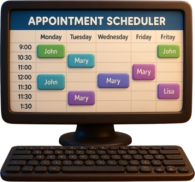
Centralized Appointment Management Made Easy
The Appointment Calendar makes it easy to schedule, view, and manage
appointments for multiple users. Instantly see who’s available, avoid double
bookings, and keep your team perfectly organized. It’s the smart way to stay on
top of every client meeting and follow-up.
Remote Access That Just Works
Whether your team is in the office, at home, or on the road, PhonePad keeps everyone
connected and in sync. Access calls, messages, and appointments securely from
anywhere. Remote work comes standard, so your team can collaborate and manage
client communications just as easily as if they were right at the office desk.
Copyright © 1995 - 2025 Cybercom Software. All rights reserved. Family Owned Business since 1995.
Cybercom Systems International Pty Ltd, trading as Cybercom Software.