


- Getting Started
- Learning Center
- How Do I?
- Online Help
- Manuals
- FAQs
- Video Training
- PhonePad Trial Lessons
- Articles
- Phone Message Pads
- Logging Phone Calls
- What is PhonePad?
- Digital Phone Message Pad
- Replace Paper Phone Message Pads
- How Receptionist Take Phone Messages
- Phone Message Software FAQ
- Phone Message Templates
- How to Take a Phone Message
- Receptionist Phone Message Etiquette
- Receptionist Tools
- Phone Message Systems for Law Firms
- Managing Phone Messages in Medical Offices
- Phone Message Example
- Phone Message Management


Screenshots

Products
PhonePad
•
Overview
•
Features
•
Why You Need PhonePad
•
Pricing
•
Licensing PhonePad
•
Upgrading from PhonePad 4
MessageSender
•
Licensing MessageSender
•
Setting Up MessageSender
Appointment Calendar



Copyright © 1995 - 2025 Cybercom Software. All rights reserved. Family Owned Business since 1995.
Cybercom Systems International Pty Ltd, trading as Cybercom Software.


Call Management & Message Taking
Address Book
Appointment Calendar
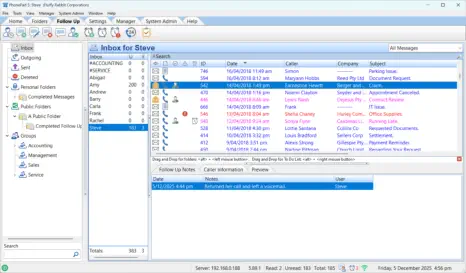
See who called, what they needed, and who took the message — instantly. PhonePad keeps your office on top of every
detail without sticky notes or guesswork.


 1
1 2
2 3
3 4
4 5
5 6
6 7
7 8
8
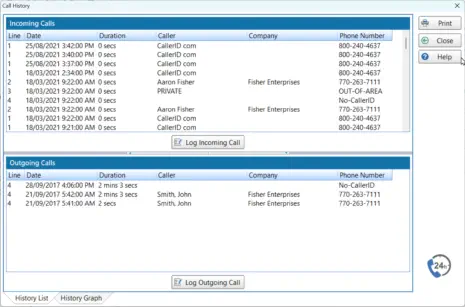
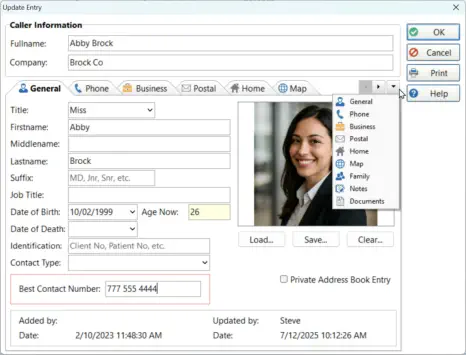
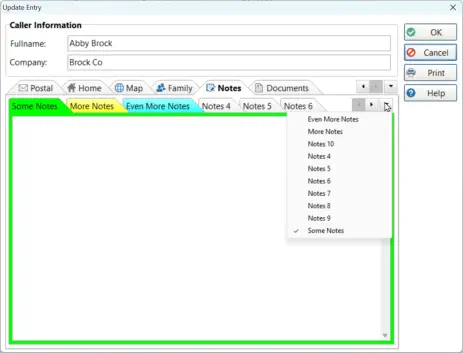
Keep every contact your business relies on right at your fingertips. PhonePad’s Address Book stores clients, suppliers, and
internal contacts in one central place — always up to date and instantly searchable. No more digging through email threads
or guessing phone numbers; everything you need to stay connected is just a click away.


 1
1 2
2 3
3 4
4 5
5 6
6 7
7 8
8 9
9To Do List


 1
1 2
2 3
3 4
4 5
5
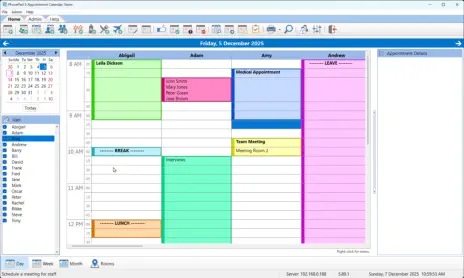
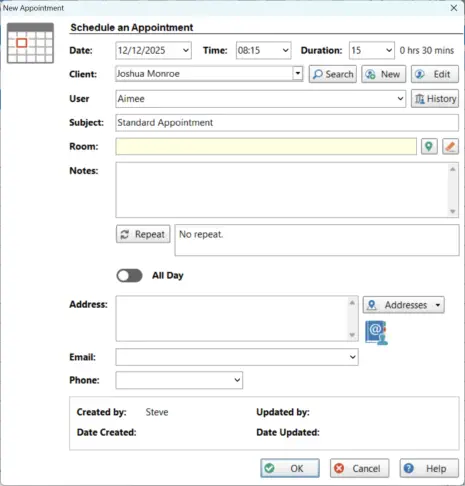
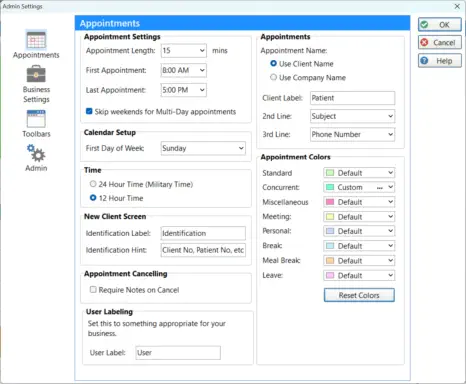
Your day just got a whole lot easier. Set appointments, repeat them, move them, tweak them — whatever you need, the
calendar handles it without fuss. Hover for instant details, customise it to match your workflow, and keep track of
everything without the usual chaos. It’s your office schedule, finally behaving itself.
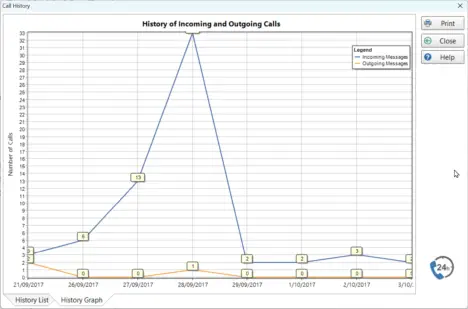
Keep work moving with a flexible task manager designed for busy offices. Create personal tasks, delegate items to others,
manage shared team lists, and track everything in one organised place. PhonePad’s To Do List helps your whole team stay
focused, accountable, and on schedule.



PhonePad Web


Products
PhonePad
•
Overview
•
Features
•
Why You Need PhonePad
•
Pricing
•
Licensing PhonePad
•
Upgrading from PhonePad 4
MessageSender
•
Licensing MessageSender
•
Setting Up MessageSender
Appointment Calendar
Copyright © 1995 - 2025 Cybercom Software. All rights reserved. Family Owned Business since 1995.
Cybercom Systems International Pty Ltd, trading as Cybercom Software.