Change the name of a group conversation to reflect its purpose or make it easier to find.
Rename a Group
1.Select the group conversation you want to rename.
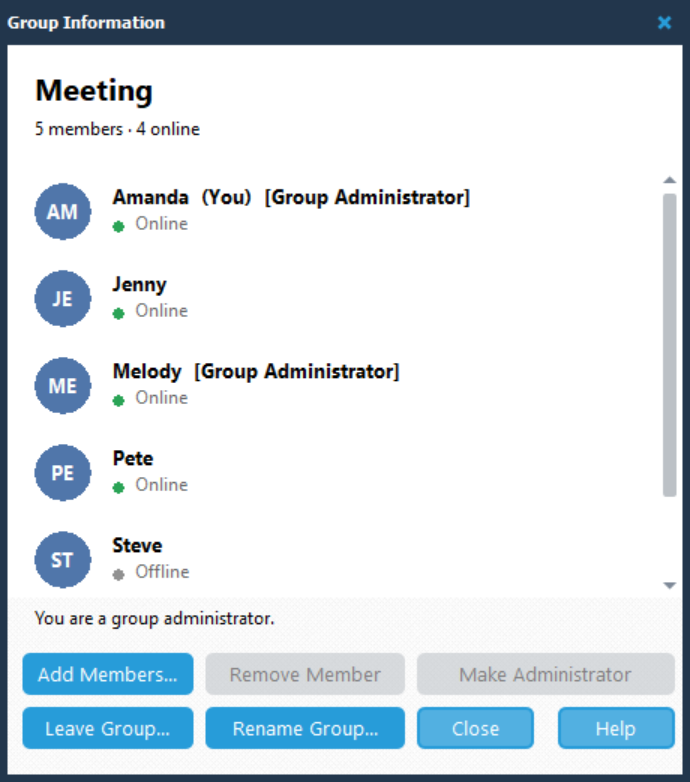
2.Click Manage in the conversation header to open Group Information.

3.Click Rename Group....
4.In the Rename Group dialog, enter the new name in Group name.
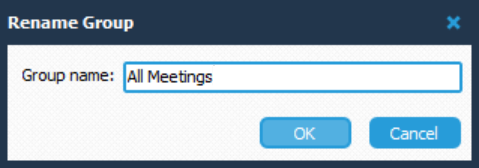
5.Click OK to save the new name, or Cancel to keep the existing name.
For example, you could rename a group from Meeting to All Meetings.
Click Close when you have finished using Group Information.