Make a group member an administrator so they can add and remove members of the group.
Make a Group Administrator
1.Select the group conversation.
2.Click Manage in the conversation header to open Group Information.

3.Select the member you want to make an administrator.
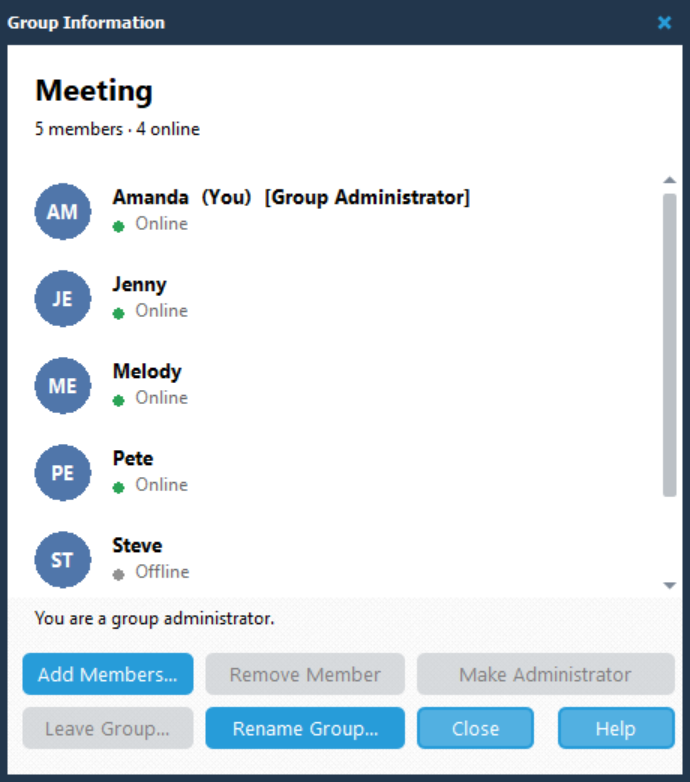
4.Click Make Administrator.
5.In the Confirm dialog, check the person named in the question. For example: Make Melody a group administrator?
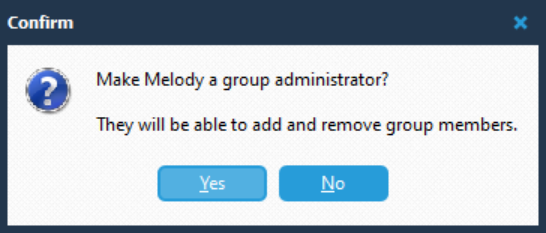
6.Click Yes to confirm, or No to cancel.
The confirmation explains that the person will be able to add and remove group members.
Identify Group Administrators
In Group Information, administrators have [Group Administrator] beside their name.
Click Close when you have finished.