In one-to-one conversations, message status indicators appear beside your outgoing messages when read receipts are enabled. Group conversations do not display Sent or Read indicators.
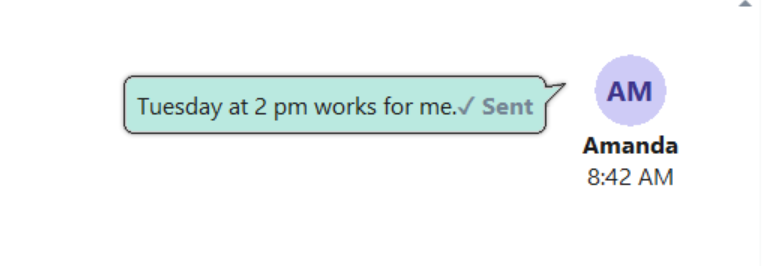
Sent
A single check mark followed by Sent appears in gray when the server has accepted your message.
This status confirms that the message was sent. It does not confirm that someone has read it.
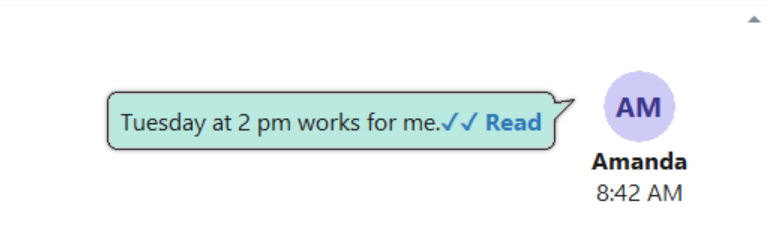
Read
Two check marks followed by Read appear in blue when the other person has marked the message as read.
Show Read Receipts
1.Open Preferences.
2.Under Chat Behavior, select Show read receipts for messages.
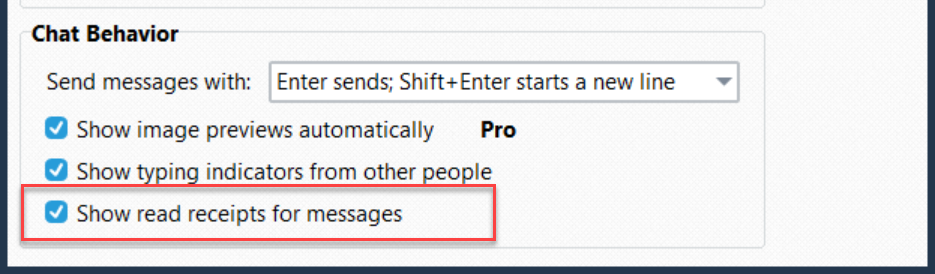
3.Click OK to save your preference.
Clear Show read receipts for messages to hide both Sent and Read indicators.