Activate your PhonePad Chat Pro license to access Pro features. You will need your license details and an Internet connection.
Open the Upgrade Window
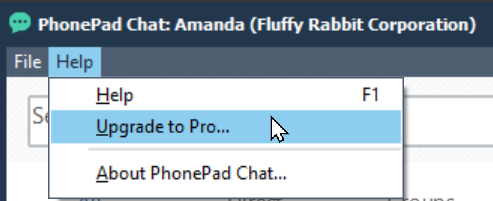
Select Help > Upgrade to Pro... to open the Upgrade to Pro window.
Activate Your License
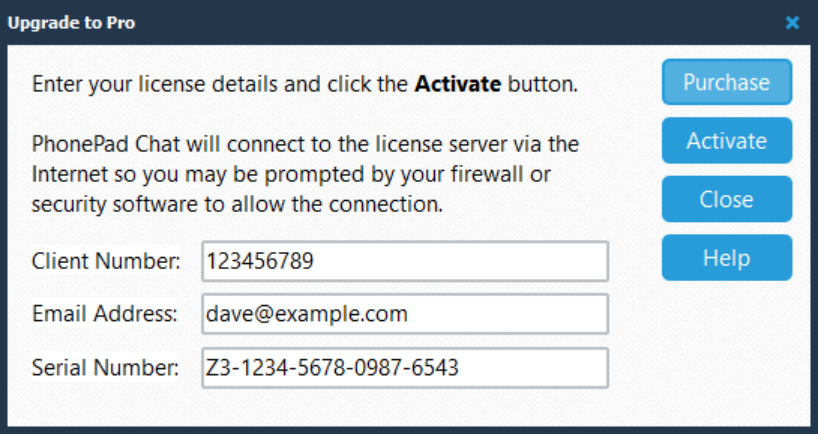
1.Enter your Client Number.
2.Enter the Email Address associated with your license.
3.Enter your Serial Number.
4.Click Activate.
PhonePad Chat connects to the license server over the Internet to validate your details. If your firewall or security software asks whether to allow this connection, allow PhonePad Chat to connect.
Use the details supplied for your PhonePad Chat Pro license. If activation is unsuccessful, check the entries and your Internet connection before trying again.
After successful activation, PhonePad Chat immediately switches to the Pro edition. You do not need to restart the program.
Purchase a License
If you have not purchased PhonePad Chat Pro, click Purchase to access the purchase option.
Close the Window
Click Close when you have finished. Click Help for help with this window.