You can edit a message you have sent to correct a mistake or update its wording. The updated message is marked [edited] in the conversation.
Edit a Message
1.Find your message in the selected conversation.
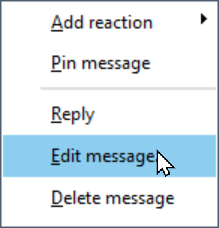
2.Right-click the message and select Edit message….
3.The message appears in the message editor, with Editing message displayed above it.
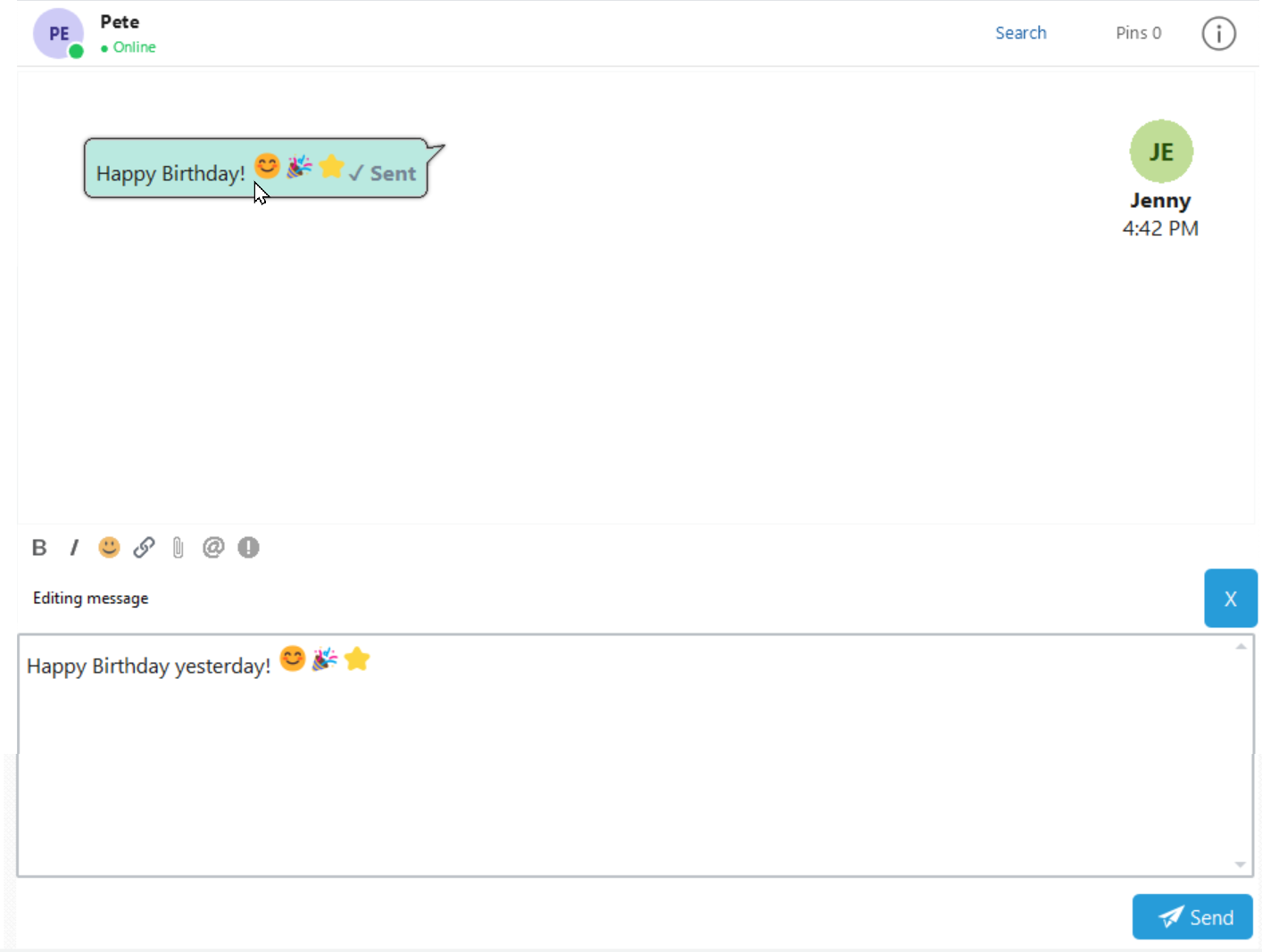
4.Make your changes. You can edit the text, change bold or italic formatting, and insert emojis or hyperlinks.
5.Click Send to save your changes.
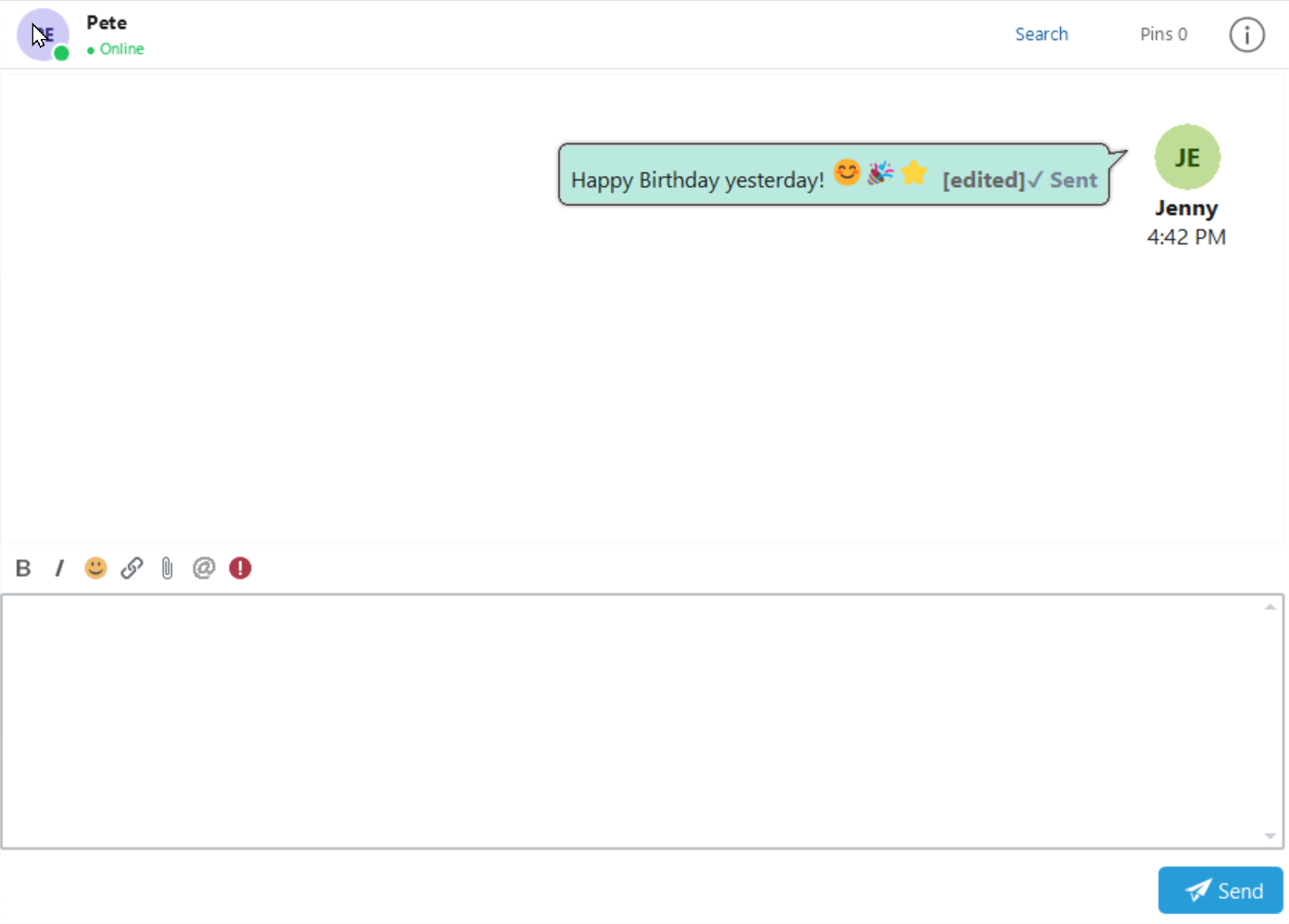
The existing message is updated in the conversation and displays [edited] to show that it has been changed.
Cancel an Edit
To cancel without saving your changes, click the X at the right-hand end of the Editing message bar.
Messages You Can Edit
You can edit your own messages. Edit message… is unavailable for messages sent by other users.