|
Peer-to-Peer Network |

|

|
|
|
Peer-to-Peer Network |
|
|
Peer-to-Peer Network
|
Peer-to-Peer Network |
|
|
|
|
Peer-to-Peer Network |
|
|
The following steps will need to be performed on each workstation on your network.
| 1. | Run DBConnect (it's located in the PhonePad folder). |
| 2. | Select Remote Mode under Connection Mode. |
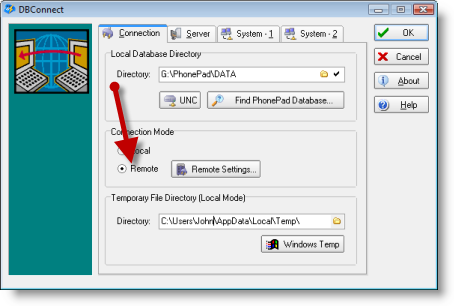
| 3. | Click the Server tab. |
| 4. | Enter the Server IP Address. |
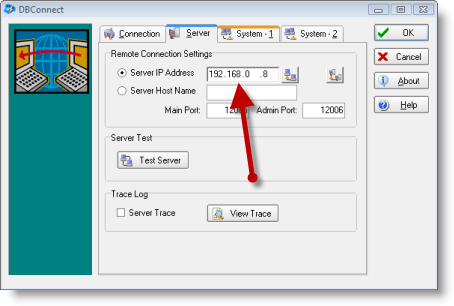
| 5. | You can test the connection to the PhonePad server by clicking the Test Server button. |
| 6. | Click OK to save the settings. |