Follow the steps for a new installation and install the new version in the existing PhonePad folder as outlined under Installing PhonePad on Workstations:
| • | Part 1 - Installing PhonePad |
Update Notes
| • | The Host PC should be updated before updating workstations. You may get error messages if you don't do this. |
| • | Your existing version will be updated to the new version. Before you begin, make sure all of your PhonePad applications are closed, otherwise the upgrade will fail. |
| • | If PhonePad is running when you attempt to upgrade, you will get a message similar to the following: |
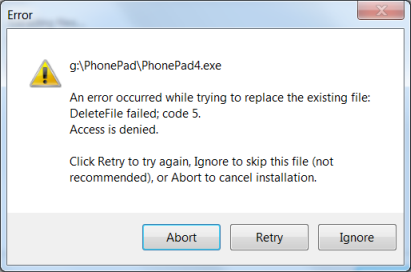
| • | The message will display the name of the file that is still in use. Windows will not allow you to replace a file that is being used. If you get this error, close down all PhonePad applications and then click the Retry button. |